
How do you set up an AI voice agent for a small business?
Setting up an AI voice agent takes about two hours in GoHighLevel: pick or port a number, create the agent, write its prompt and knowledge base, connect a calendar for booking, set the human handoff, and test ten real scenarios before going live. Usage costs roughly $0.10 to $0.20 per minute of AI call time.
What do you need before building an AI voice agent?
You need four things: a GoHighLevel sub-account with LC Phone enabled, a phone number (existing or new), a calendar with real availability, and a one-page brief describing what the agent may and may not do. The brief matters most. An agent with a vague prompt sounds impressive in a demo and fails on the first awkward caller.
If you are deciding whether to build one at all, read what GoHighLevel Voice AI costs per minute and the AI receptionist vs answering service comparison first.
- Sub-account with LC Phone and A2P 10DLC registration done
- A calendar with buffers, hours and service durations set
- Your emergency list and the on-call number
- Ten real questions callers ask, with the answers you want given
What are the setup steps in GoHighLevel?
Six screens, in order. The knowledge base, booking action and transfer rule sit inside step 3 and are described below.
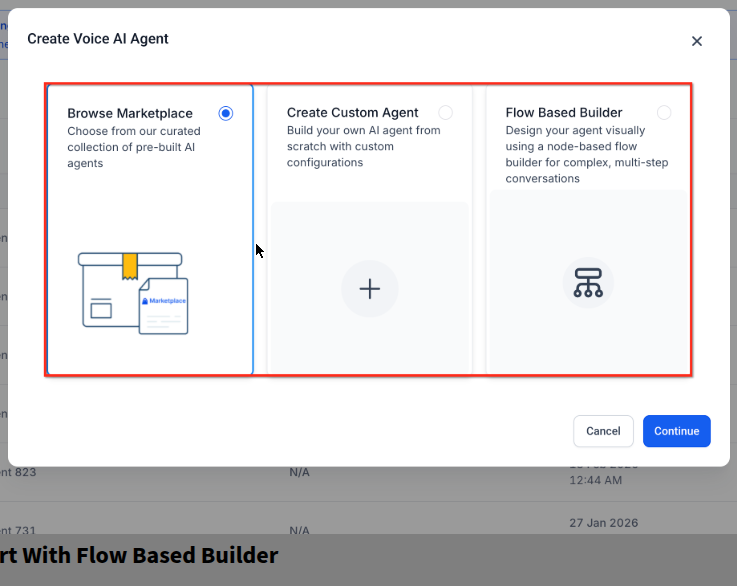
1. Create the agent
Go to Settings, then AI Employee, then Voice AI, and click Create New Agent. Give it an internal name; callers never hear it.
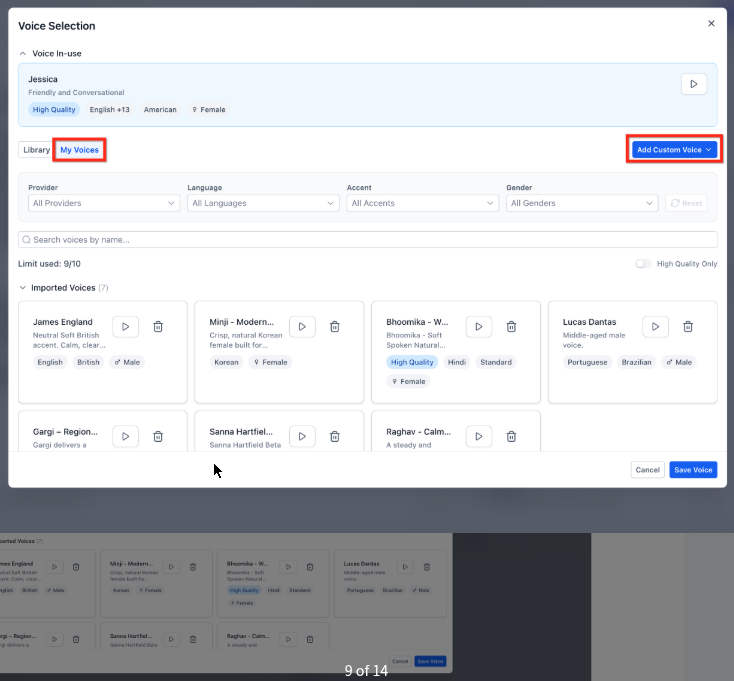
2. Choose the voice
Pick a standard voice included in usage. Premium voices cost more per minute and rarely change booking rate. Listen to three options with your greeting text.
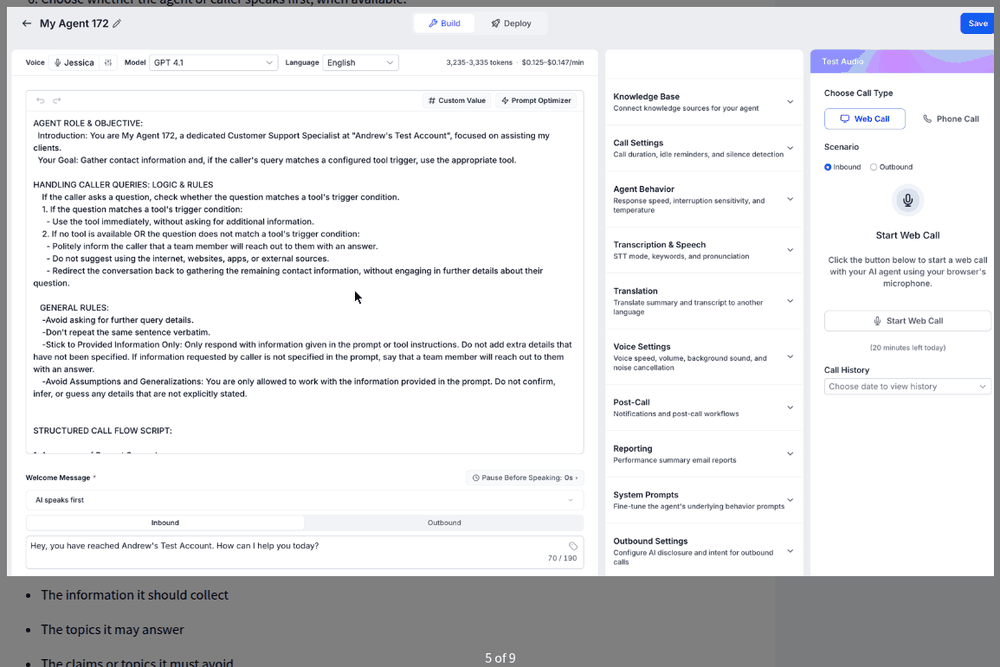
3. Write the prompt
Identity, greeting, goal, boundaries and tone. Keep it under 400 words, written as instructions, with the emergency rule and the “never” list at the top.
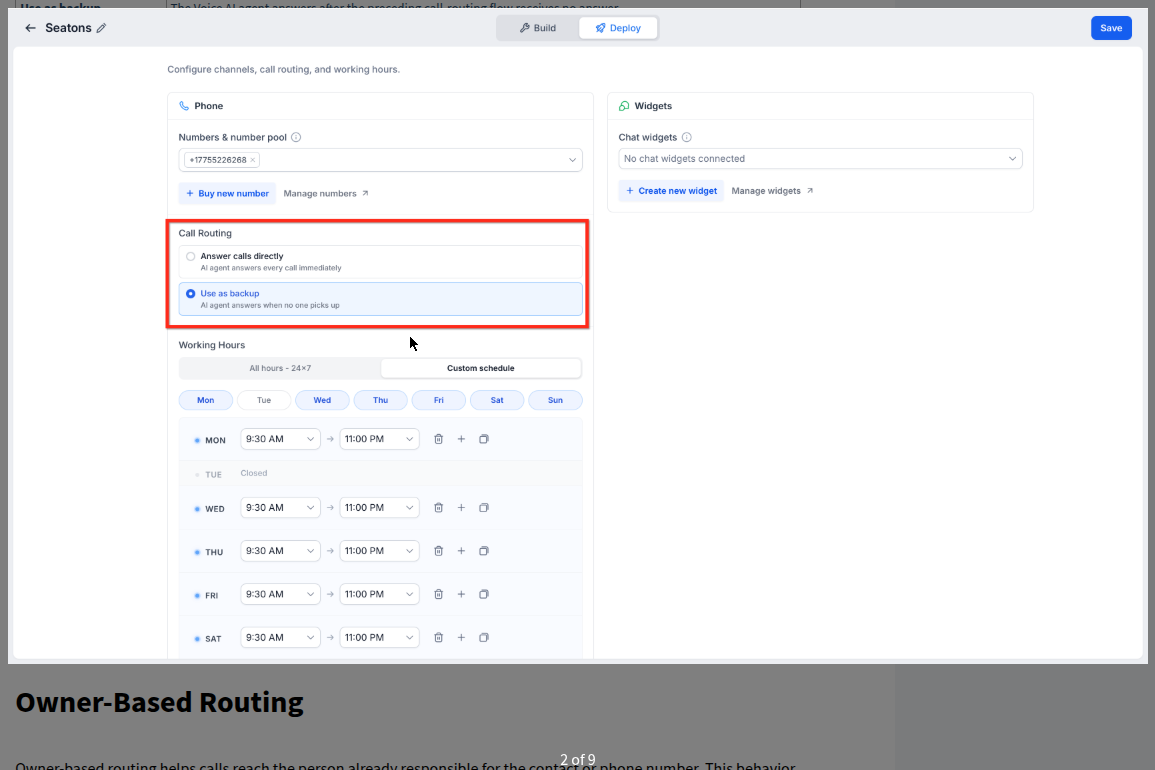
4. Assign the number
In Phone and Availability, attach the agent to the inbound number and set when it answers: always, after hours, or only when staff miss the call.
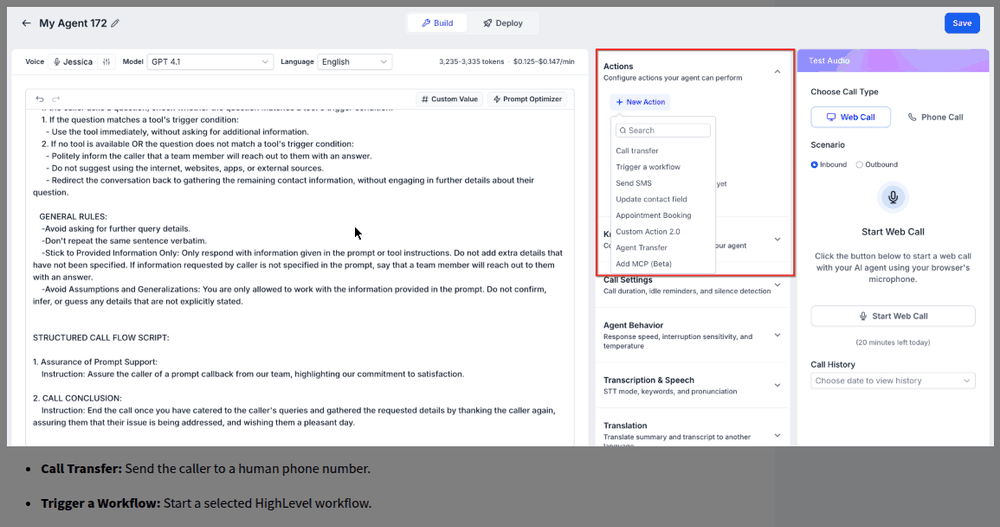
5. Set post-call actions
Send a confirmation text, create or update the contact, tag the call type, and trigger the follow-up workflow. This is where the call turns into a booked appointment.
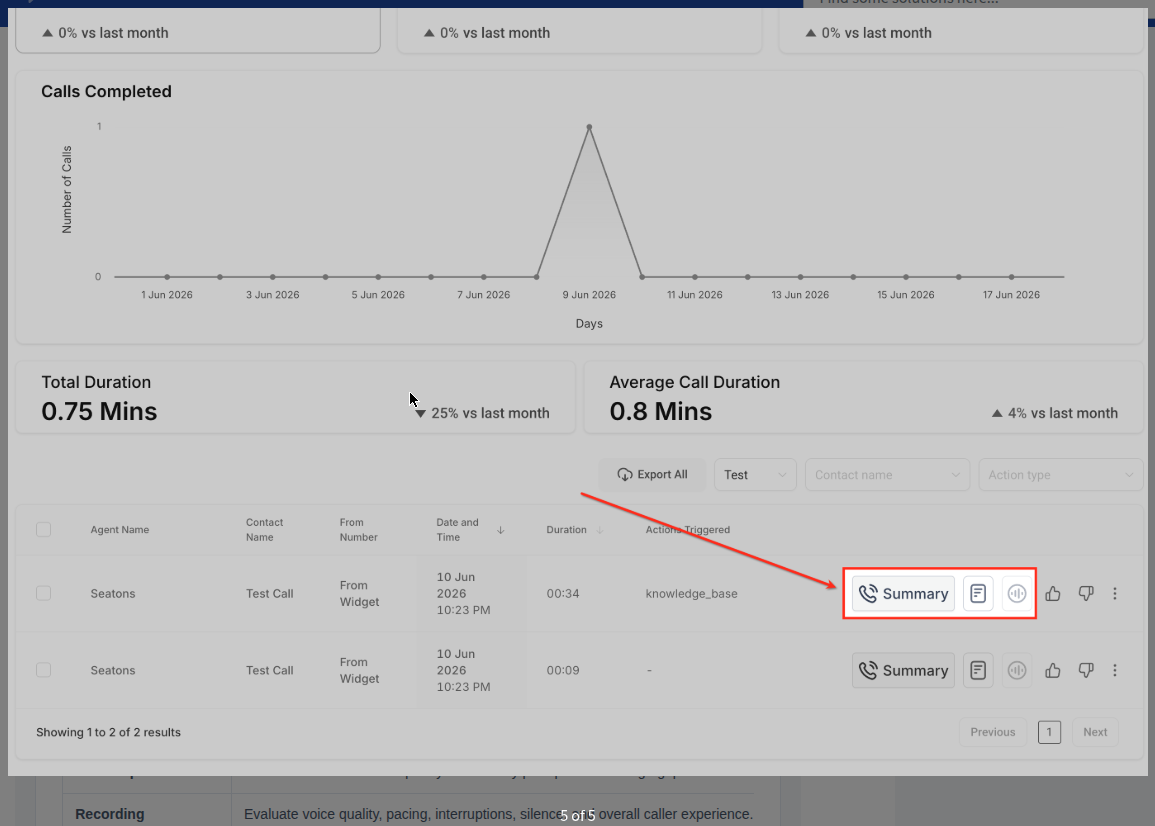
6. Review call logs
Every call appears with a recording and transcript. Read the first fifty, fix what the agent got wrong, and repeat weekly for a month.
How do you configure booking, knowledge and handoff?
Load the knowledge base
In the Knowledge Base tab, crawl your website, upload a services PDF, or add Q&A pairs. Ten accurate answers beat a hundred vague ones.
Turn on Agent Goals, Advanced Mode
Add an Appointment Booking action and connect the calendar. Offer slots two to three days out, two or three options per call. The agent only offers times that are actually open.
Add the transfer action
Conditions: caller asks for a person, the agent fails twice to understand, or an emergency phrase is detected. Set the on-call number and a short summary to play before connecting.
Add the SMS action
After booking, send a confirmation with the time and a reschedule link. After a transfer that fails, text the on-call person and the caller.
Set the record-and-announce line
First sentence of the greeting: “This call is recorded for quality.” See the call recording laws page for why.
Test ten scenarios
Qualified lead, out-of-area caller, price shopper, emergency, request for a human, caller who talks over the agent, second language, wrong number, existing customer, and after-hours booking.
What does it cost to run?
Common questions about setting up an AI voice agent
How long does setup take?
Two to four hours for a first version, including testing. Most of that time is writing a good prompt and knowledge base; the clicks themselves take twenty minutes.
Do I need a new phone number?
No. Since 2026 GoHighLevel Voice AI can answer on an existing LC Phone number, including a ported main line. Many businesses start with an overflow or after-hours rule so the agent only answers calls staff miss.
What does an AI voice agent cost per month?
Usage is about $0.10 to $0.20 per minute all-in. A business taking 100 three-minute calls a month pays roughly $30 to $60 in usage, plus the platform plan. See our AI receptionist cost page for full numbers.
Can it speak languages other than English?
Yes. Standard voices cover the main languages, and the prompt can instruct the agent to switch when it hears Spanish, Urdu or Arabic. Test each language separately before launch.
What should the agent not be allowed to do?
Quote prices you have not given it, promise arrival times, give medical or safety advice, or keep a caller in a loop. Each of these is a prompt rule plus a transfer trigger.
How do I know it is working?
Listen to the first fifty recordings, check the booking rate against calls answered, and track how many transfers the on-call person received. Adjust the prompt weekly for the first month.
What is related to the AI voice agent setup guide?
No auto-renew. You own everything. Paid on booked appointments.
Every system we build sits in your own account, on your own numbers and domain. If you stop working with us, nothing switches off and nothing has to be migrated.
Want it built, tested and live in your own account this week?
Book a free strategy call. We build the agent in your sub-account, on your number, and hand you the prompt.